
Imagine a situation where Bitcoin is in the middle of a flash crash and has dropped four percent in less than ninety seconds. You’ve made your entry. You have your finger on the key. The screen then becomes frozen. The move is gone, the position is incorrect, and the opportunity to earn or lose real money has already passed by the time your laptop recovers. The device malfunctioned. The plan didn’t work. In 2026, that distinction is more important than it has ever been.
Over the past few years, cryptocurrency trading platforms have become much more demanding. These days, live data streams, AI-assisted overlays, and simultaneous multi-timeframe charts are commonplace rather than exclusive features. Back then, a mid-range laptop from 2021 was probably sufficient. It is no longer the case. Because trading software heavily relies on single-thread performance, raw clock speed is more important than core count. This makes trading software surprisingly resource-intensive. Because of this, serious traders currently agree that Intel Core i7 or AMD Ryzen 7 chips should be the baseline for 2026. If you’re running backtesting simulations or automated bots that process data overnight, the i9 and Ryzen 9 options are worth the upgrade.
| Spec / Factor | What You Need in 2026 |
|---|---|
| Top Laptop Pick (Mac) | MacBook Pro 16-inch (M4 Pro) — workstation-grade performance, 25+ hour battery life |
| Top Laptop Pick (Windows) | Dell XPS 16 — strong CPU, premium display, excellent for technical analysis and charting |
| Best Budget/Portable Option | MacBook Air 13-inch (M3) — silent, lightweight, long battery; ideal for travel trading |
| Recommended CPU | Intel Core i7 / AMD Ryzen 7 (minimum); i9 or Ryzen 9 for backtesting and bot simulations |
| Minimum RAM | 32 GB — new baseline for 2026; 64 GB if running Sierra Chart or local blockchain nodes |
| Storage Type | NVMe SSD only — minimum 512 GB; HDDs are obsolete for trading use |
| GPU Requirement | Mid-range dedicated GPU sufficient; needs enough HDMI/DisplayPort outputs for multi-monitor setups |
| Monitor Setup | 2 screens = sweet spot; one for charts, one for order execution and news feeds |
| Internet Connection | Wired Ethernet preferred over Wi-Fi — stability over speed; Wi-Fi packet drops cause ghost orders |
| Battery Life (Laptop) | Minimum 8 hours; critical for traders working away from a desk or power source |
| Mac vs Windows | Windows: broader standalone software support; Mac: superior stability and battery for web-based platforms |
| RAM Impact on Crashes | Traders with 16 GB RAM experience 40% fewer platform crashes than those using 8 GB |
Many traders subtly underestimate their needs in RAM. The new floor, not the recommendation, is 32 gigabytes. Browsers are the reason, which is almost embarrassingly ordinary. Dozens of open tabs, including TradingView, exchange terminals, news feeds, Discord, and Twitter, are common during a successful cryptocurrency trading session. Additionally, modern browsers use memory at a rate that would have seemed ridiculous five years ago. Platform crashes occur more frequently for traders using 16 GB than for those using 32 GB. If you’re using Sierra Chart or any other local node software, push into 64 GB. It’s one of those improvements that doesn’t seem necessary until it does.
The shortlist isn’t difficult for the majority of traders deciding between Mac and Windows in 2026. With a battery life of more than 25 hours, thermal management that doesn’t throttle under prolonged load, and stability that web-based platforms like Binance seem to run smoothly on, the MacBook Pro 16-inch with the M4 Pro chip is at the top of the most serious reviews. Strong CPU performance, a display suitable for prolonged chart analysis, and broad software compatibility for standalone tools that are still Windows-only make the Dell XPS 16 the practical solution for Windows users. The MacBook Air 13-inch with M3 is a third noteworthy option that sacrifices raw power for true portability. Long battery life, no fan noise, lightweight, and silent. It’s probably sufficient for traders who manage positions while on the road instead of engaging in active scalping.
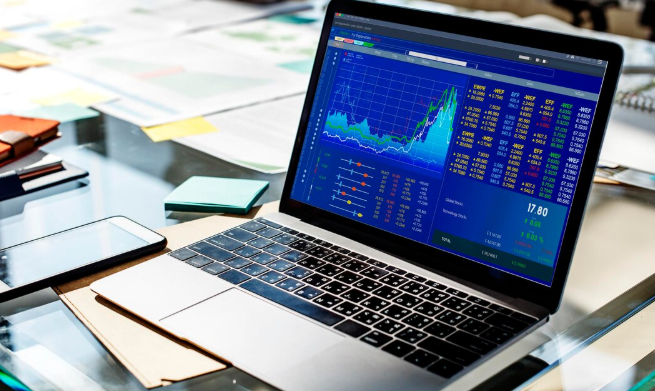
Many people who are new to creating a trading setup are confused by the GPU question. A graphics card suitable for gaming is not required. Unless you are also mining or performing AI model inference locally, the NVIDIA RTX 50-series cards that dominate gaming benchmarks are essentially useless on a trading rig. A GPU with sufficient HDMI and DisplayPort outputs is what you need in order to smoothly and high-resolutionly drive two or more monitors. The practical sweet spot is still two screens: one for news and order execution, and another for charts. Additional screens are beneficial, but after two, the marginal return rapidly decreases.
One hardware detail that doesn’t get enough attention is the internet connection. Stability is more important than speed. A layer of variability introduced by Wi-Fi, such as dropped packets, micro-latency spikes, and what traders refer to as “ghost orders”—commands that appear to send but don’t register cleanly on the exchange—is eliminated when your laptop and router are connected via wired Ethernet. It’s a minor issue. With a cable, it’s also completely avoidable.
It’s difficult to ignore the shift in the hardware discourse in trading from “nice to have” to something more akin to infrastructure. Traders who properly invest in processing power, memory, and connectivity and treat their setup as a business expense typically spend much more time trading and much less time troubleshooting. It’s not a coincidence.