
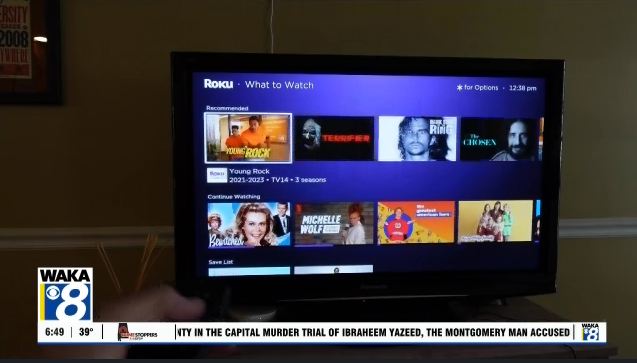
Modern smart TVs have evolved far beyond simple screens for watching programs, prompting consumer tech experts to recommend that owners review important privacy and performance settings. According to a recent consumer technology report, smart TV settings often go unchecked despite their impact on privacy, security, and device performance. These internet-connected devices now function more like computers than traditional televisions, requiring periodic attention from users.
The recommendations come as smart TVs and streaming devices have become standard in millions of homes across the country. Most televisions sold today include built-in operating systems, app stores, and internet connectivity as default features.
Smart TV Privacy Settings Deserve Attention
One of the most significant concerns involves Automatic Content Recognition, or ACR, according to technology specialists. This feature enables smart TVs to identify and track everything displayed on the screen, including streaming content, cable programming, and video games. The collected data may be shared with advertising companies for targeted marketing purposes.
However, users who feel uncomfortable with this level of tracking can typically disable ACR through their television’s privacy settings menu. The exact location of these controls varies by manufacturer, but most brands include options to limit data collection.
Software Updates Often Overlooked
Additionally, smart TV software updates represent another critical maintenance task that frequently goes neglected. Like smartphones and computers, televisions receive periodic updates from manufacturers to fix bugs, enhance performance, and address security vulnerabilities. Unlike mobile devices, however, televisions do not always install these updates automatically.
Tech experts recommend that users regularly check for available updates through their TV’s settings menu, typically found under System or Support sections. Keeping software current helps protect against potential security risks and ensures optimal performance.
Performance Issues and App Management
Meanwhile, accumulated applications can gradually degrade smart TV performance over time. Streaming services, games, and other downloaded programs consume storage space and processing resources. Users who notice sluggish response times or delayed menu navigation should consider removing unused applications to improve speed.
In contrast to the storage limitations of older devices, modern smart TVs offer substantial capacity. Nevertheless, regular app management helps maintain smooth operation and prevents unnecessary slowdowns.
Voice Features and Microphone Controls
Many contemporary smart TVs include voice command capabilities, either through the remote control or built directly into the television itself. According to industry specifications, most devices only activate their microphones when users press a designated voice button. Users concerned about privacy can usually disable voice features entirely through the settings interface.
The prevalence of these features reflects the broader transformation of televisions into multifunctional smart devices. Understanding available controls empowers users to customize their experience according to personal preferences and comfort levels.
Regular Smart TV Maintenance Recommended
Technology specialists emphasize that today’s televisions function as powerful internet-connected devices rather than passive display screens. This fundamental shift means owners should periodically review their settings to ensure everything operates as intended. Simple maintenance tasks like checking privacy controls, installing updates, and managing applications can significantly impact both security and performance.
As smart TV technology continues advancing, manufacturers may introduce additional features requiring user configuration. Staying informed about available settings helps consumers maintain control over their devices and viewing experience while protecting personal information from unnecessary collection or sharing.
